Is Your Website Ready for AI Agents? Google's New Lighthouse Agentic Browsing Audit Explained
Google's Lighthouse now scores how AI-agent-ready your site is. Here's what it checks (llms.txt, WebMCP, accessibility tree, CLS) and what NZ businesses should actually do.
Key Takeaways
- Google’s Lighthouse 13.3 added a new “Agentic Browsing” category that audits how AI-agent-ready your website is. It is experimental, displayed as a pass/fail ratio rather than a 0-100 score.
- The audit checks four signals: WebMCP tool registration, llms.txt presence at the domain root, accessibility-tree health, and Cumulative Layout Shift.
- llms.txt is a two-minute fix that passes the audit. But Google’s own John Mueller called llms.txt “comparable to the keywords meta tag”, the long-discredited meta tag Google explicitly ignores. Implement it for the audit pass, do not expect ranking benefit.
- WebMCP is the more important emerging standard. It is a Chrome-driven browser protocol letting AI agents call your site’s tools directly instead of screenshotting pages and guessing at pixels.
- Most NZ businesses should: ship llms.txt as the easy audit win, run a Lighthouse Agentic baseline, fix any accessibility-tree gaps (these help real users too), and watch WebMCP without rushing to implement.
In May 2026, Google’s Lighthouse tool added a new audit category called Agentic Browsing. It scores how well-built your website is for AI agents (ChatGPT, Claude, Perplexity, Gemini, and the new wave of browser-driven AI assistants) to read, understand and interact with.
This is the first time Google has officially put a tracking score against AI-agent readiness, so it matters. But the audit is full of contradictions worth understanding before you spend any time on it. Google’s John Mueller publicly compared one of the signals (llms.txt) to the discredited keywords meta tag from the early 2000s, while Lighthouse audits for it anyway. The audit category is marked Experimental and does not produce a 0-100 score, just a pass/fail ratio.
This is the NZ business-owner read on what’s actually worth doing.
1. What Agentic Browsing means in 2026
“Agentic browsing” is the term Google is now using for the way AI agents navigate the web on a user’s behalf. Three flavours of this are already real in mid-2026:
- AI search models (Google AI Mode, Perplexity, ChatGPT search, Claude search) crawl and extract content to answer questions in their interfaces.
- AI browsing agents (ChatGPT’s agent mode, Claude’s computer use, Gemini’s agents) load real web pages in a real browser and interact with them on a user’s behalf.
- Voice and conversational assistants (the next generation of Siri, Alexa, Google Assistant) increasingly make web requests on behalf of the user to complete tasks like booking, comparing or filtering.
All three rely on the web page being machine-readable, predictable, and (where possible) self-describing. That is what Agentic Browsing measures.
2. The four signals Lighthouse now audits
From Google’s documentation, the Agentic Browsing category checks four things.
WebMCP tool registration. Whether your site exposes “tools” (search, filter, submit-form, add-to-cart, book-a-call) to AI agents via the new WebMCP API. Most sites today expose zero. That is fine for now.
Accessibility tree health. AI agents read your site’s accessibility tree, not the visual layout. Lighthouse checks that interactive elements have programmatic names, that the role-and-parent-child structure is valid, and that nothing important is hidden from the a11y tree while still being interactive.
Cumulative Layout Shift (CLS). Whether elements jump around the page after load. Agents need stable layouts because they identify an element at time T and click it at time T+1, and if it has moved the wrong button gets clicked.
llms.txt presence. Whether you have a machine-readable summary file at yoursite.co.nz/llms.txt.
Lighthouse displays the result as a fractional pass ratio (something like 3/4 or 2/4 of the checks passed), plus the per-audit detail.
3. llms.txt: what it is, and Google’s confusing stance
llms.txt is a proposed standard by Jeremy Howard at Answer.AI. The idea is simple: put a markdown-formatted file at yoursite/llms.txt that gives AI models a curated summary of your site’s content, structure, and the most important pages, in a format that is easy to extract.
Lighthouse audits for it. Yoast SEO recently added llms.txt support. Plenty of agencies are pitching llms.txt implementation as a 2026 SEO must-do.
Here is the part most “implement llms.txt now!” articles leave out. In a public AMA, Google’s John Mueller compared llms.txt to the keywords meta tag, the abandoned meta tag from the 2000s that search engines stopped using because it was trivially manipulated. Mueller’s specific points:
- No major AI service has said they use llms.txt. That includes Anthropic, OpenAI and Google itself.
- You can tell from server logs that AI bots are not requesting it. If they were, the file would appear in your access logs as one of the most-requested paths. It does not.
- It is redundant. An agent that wants to know what your site is about has already downloaded your actual content and structured data. A separate “trust me, this is what my site is about” file does not add new information.
- Like the keywords meta tag, it is too easy to abuse. If AI services started reading it as ground truth, every SEO would stuff it.
Lighthouse audits for it anyway because the category is experimental and meant to gather data on what site-owners are implementing, not to definitively rank sites. Implementing llms.txt passes the audit. It does not give you a ranking benefit. The audit description even labels itself “Experimental” up front.
What to do: ship an llms.txt for the audit pass. It takes two minutes. Do not let anyone bill you for “comprehensive llms.txt implementation”.
4. How to write your llms.txt in two minutes
Create a file at yoursite.co.nz/llms.txt. The proposed standard uses markdown with this rough structure:
# Your Business Name

> One-sentence description of what you do.

Two or three sentences of additional context: location, services, audience.

## Services

- [Service one](https://yoursite.co.nz/services/one): one-line description
- [Service two](https://yoursite.co.nz/services/two): one-line description

## About

- [About us](https://yoursite.co.nz/about): brief context
- [Contact](https://yoursite.co.nz/contact): how to get in touch

## Latest content

- [Most important blog post](https://yoursite.co.nz/blog/post-one)
- [Second most important blog post](https://yoursite.co.nz/blog/post-two)
On an Astro or Next.js site, drop it in public/llms.txt. On WordPress, upload it to the root via FTP or use a plugin like Yoast (which now generates it automatically). On Webflow or Squarespace, it is a five-minute job in the SEO settings or a custom file upload.
That is the entire implementation. Pass the Lighthouse check, move on.
5. WebMCP: the more important story
Where llms.txt is a static description file, WebMCP is something else entirely. It is a new browser protocol from the Chrome team that lets websites register tools that AI agents can discover and call directly.
The current state of AI browsing agents is mostly screenshots and guesses. An agent loads your page, takes a screenshot, runs vision-language inference to figure out which pixel is the “search” button, moves the cursor there and clicks. It works but it is slow, error-prone, and breaks every time you redesign.
WebMCP changes this. Your site declares: “here is my search tool, it takes a query string and returns a list of products”. The agent then calls that tool directly, the same way it would call a Python function. No screenshots, no pixel guessing.
There are two APIs:
- Declarative. Define tools in HTML markup. Lighthouse can verify these statically.
- Imperative. Register tools at runtime via JavaScript. Lighthouse audits for these too, but timing matters (tools registered after Lighthouse takes its snapshot will not be detected).
For an NZ small business in May 2026, WebMCP is future-important, not urgent. The protocol is brand new, support is limited to Chrome, very few AI agents call WebMCP tools yet. But anyone building or rebuilding a transactional or service site over the next 12 months should at least understand it, because the businesses that adopt it early will be the ones AI agents reach for first.
6. The accessibility tree audit: an SEO win disguised as something new
This one is the quiet sleeper hit of the new audit. Lighthouse checks whether interactive elements on your site have:
- Programmatic names (every button, link and form field has an accessible label)
- Valid tree integrity (roles and parent-child relationships make sense)
- Visibility consistency (nothing is hidden from assistive tech while still being clickable)
If those phrases sound like ordinary web accessibility best practice, that is because they are. The Agentic Browsing audit is mostly rebranded accessibility checks, because AI agents read the same accessibility tree that screen readers use.
The practical effect: every accessibility improvement you make also improves AI-agent readability. Same goes for SEO; the accessibility tree is one of the inputs Google has been quietly using in ranking signals for years.
If your site has unlabelled icon buttons, missing alt text on images, form fields without proper labels, or content that visibly exists but is hidden from assistive tech, those issues now show up in three audits: accessibility, SEO, and the new Agentic Browsing category. Fixing them once helps all three.
7. CLS: now more important than it was
Cumulative Layout Shift has been part of Core Web Vitals since 2021. The Agentic Browsing audit elevates it from “ranking factor” to “blocking issue”.
Why: an AI agent identifies an element at time T (say, the “Add to cart” button) and tries to click it at time T+1. If a banner ad has loaded in that gap and pushed the button 200 pixels down, the agent clicks something else. From the agent’s perspective, the site is broken.
For NZ businesses, CLS fixes are the usual list: set explicit width and height on images, reserve space for ads and embeds, avoid injecting content above existing content after first paint, use font-display: optional for web fonts. The Core Web Vitals report in Search Console flags the worst-offending URLs.
8. What NZ businesses should actually do in the next month
A pragmatic 60-minute action list, in priority order:
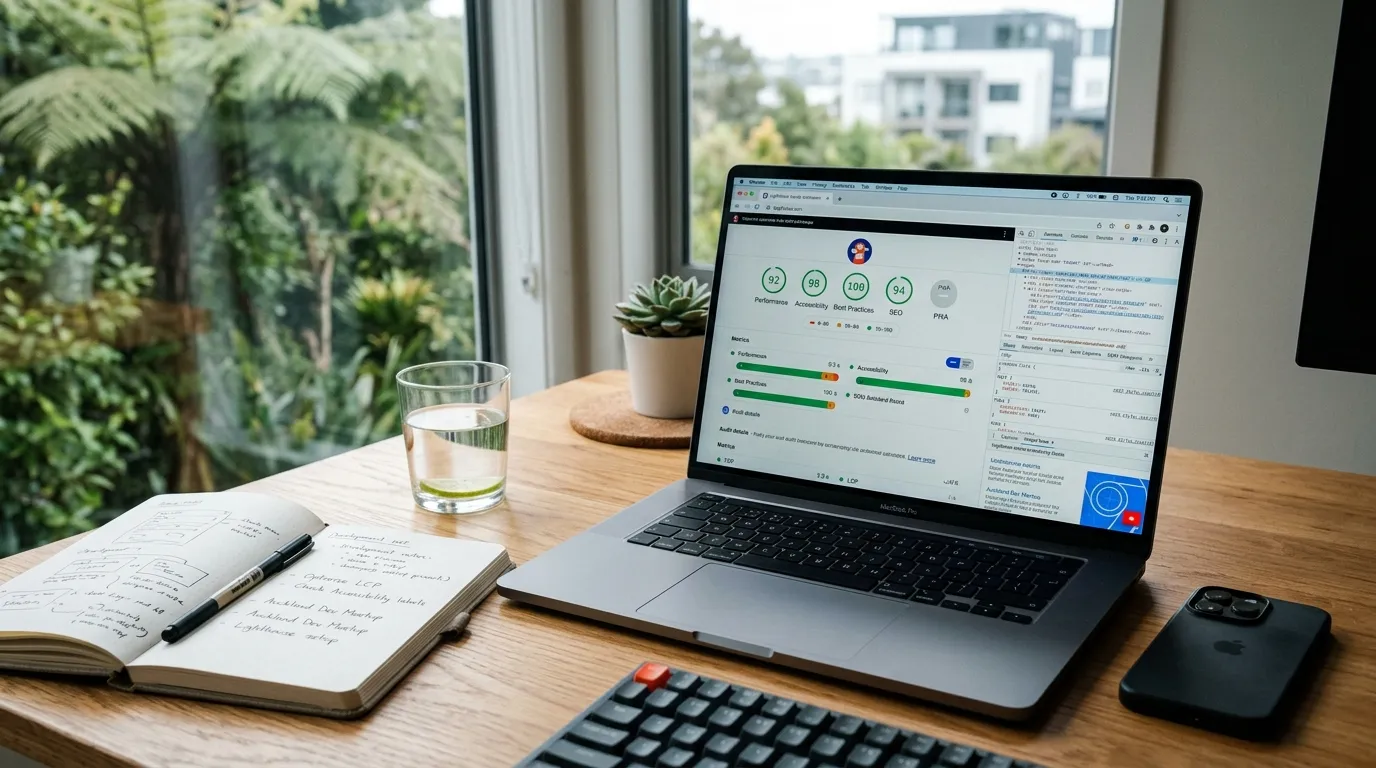
- Run a baseline Lighthouse Agentic Browsing audit. Open Chrome DevTools on your homepage and one important service or product page. Run Lighthouse with the new category enabled. Note the pass ratio.
- Ship an llms.txt at the domain root using the template above. Takes two minutes. Audit pass.
- Fix the worst accessibility-tree issues. Unlabelled buttons, missing form labels, alt text gaps. Lighthouse will point you at them. Every fix helps SEO, accessibility, and agent readability simultaneously.
- Audit CLS in Search Console under Core Web Vitals. Fix the worst pages. This is now a triple-purpose fix.
- Park WebMCP until you next rebuild a key transactional flow. Then implement it on that flow. No need to retrofit it across the whole site today.
If you are running an SEO or web design retainer with an agency, the right ask is: “have you run the new Lighthouse Agentic Browsing audit, what’s our pass ratio, and what are we doing about the failed checks?” Anyone who pitches a five-figure “llms.txt implementation” is selling air.
Frequently Asked Questions
Is llms.txt useful for SEO?
Not directly, according to Google’s own John Mueller, who compared it to the discredited keywords meta tag. No major AI service has confirmed using llms.txt files, and server-log evidence shows AI bots are not requesting them. Implement it because Lighthouse audits for it (a two-minute fix), not because of any expected ranking benefit.
What is WebMCP?
WebMCP is a new browser protocol from the Chrome team that lets websites register “tools” (like search, filter, add-to-cart) which AI agents can call directly, instead of taking screenshots and parsing pixels. It is currently an early preview in Chrome and is part of the new Lighthouse Agentic Browsing audit. Adoption is limited as of May 2026 but it is the more substantial of the new agent-readiness signals.
Should I implement WebMCP on my site now?
For most NZ small businesses, not yet. The protocol is new, support is limited to Chrome, and few AI agents currently call WebMCP tools. Implement it when you next rebuild a key transactional flow (checkout, booking, search). Anyone rebuilding their site in the next 6-12 months should at least understand it.
Does Google actually use llms.txt?
No. Google’s John Mueller has confirmed that Google does not crawl or use llms.txt files, and Google’s AI systems do not currently consume them. Anthropic and OpenAI have also not confirmed any use. Adoption of the standard by AI providers remains unconfirmed.
How do I run the Lighthouse Agentic Browsing audit?
Open Chrome DevTools (Cmd+Option+I on Mac, F12 on Windows), go to the Lighthouse tab, ensure you are on Lighthouse 13.3 or later, and check the “Agentic Browsing” category in the audit settings. Run the audit on the page you want to test. The results panel will show a pass/fail ratio rather than a 0-100 score.
Related reading
- AI Overviews just cut click-through rates by 61%
- AI SEO in 2026: how to get your business recommended by ChatGPT, Perplexity and Google AI
- Google Marketing Live 2026: what NZ advertisers need to know
- Two months after Google’s March 2026 core update
- Free SEO Audit Checklist
If you want a real Lighthouse Agentic Browsing baseline on your site plus a tight fix list for whatever it surfaces, that is the kind of audit we run as part of an SEO engagement. Book a free 30-minute strategy call and bring your site URL.
Sources: Chrome for Developers: Lighthouse Agentic Browsing scoring · Search Engine Journal: Google Says LLMs.Txt Comparable To Keywords Meta Tag · Chrome for Developers: WebMCP

Written by
Jason Poonia
Jason Poonia is the founder and Managing Director of Lucid Media, helping NZ businesses grow online since 2018. With over 6 years delivering results for clients across New Zealand and internationally, Jason combines technical expertise with proven marketing strategies to help businesses attract more customers and build scalable systems. Background in Computer Science from the University of Auckland.