
Google Business Profile Suspended? How to Get It Reinstated in NZ
Google Business Profile suspended? How to appeal properly in NZ: the evidence Google accepts, the 60-minute form, and the mistakes that stall reinstatement.
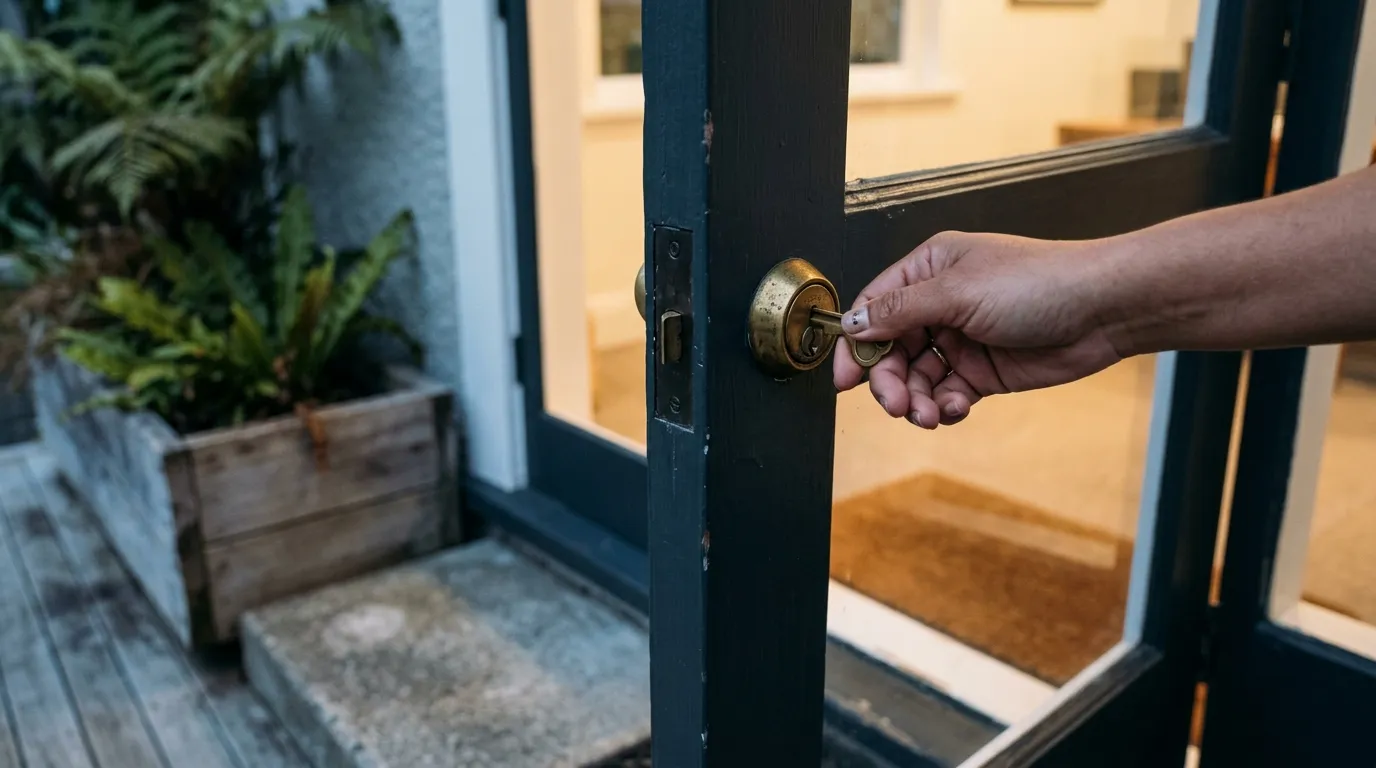
If your Google Business Profile has been suspended, don’t create a new profile and don’t fire off repeat appeals. Work out which of Google’s guidelines the profile breaks and fix that first. Gather NZ paperwork that shows your business name and address exactly as they appear on the profile. Then submit one appeal through Google’s Business Profile appeals tool. Google says decisions can take up to five business days.
That’s the short version. The rest of this guide covers each step in the order we’d do it, the New Zealand documents that match what Google asks for, and what to do if the first appeal comes back “Not Approved”.
The email itself doesn’t help much. It names a broad policy area, offers an Appeal button, and almost never tells you which specific detail on your profile caused the problem. The instinctive reaction to that email is usually the wrong one.
Stop Doing These Two Things First
Don’t create a new profile for the same business. It’s the obvious panic move, and it backfires. Google’s help page on suspended profiles is blunt about it: “Do not create a new Business Profile for the same business while your appeal is under review.” Google’s guidelines also say there should only be one profile per business. A second listing for the same business looks like a duplicate, and duplicates are one of the things that get profiles flagged in the first place.
Don’t submit the same appeal over and over. Google’s appeals guidance asks you not to submit multiple appeals for the same issue before you get a decision. One clean appeal with the right evidence beats five rushed ones.
What a Suspension Actually Means
A suspension restricts the profile. Depending on the case, it can drop out of Search and Maps or lose its verified status. Google’s help pages use “suspended” and “disabled” almost interchangeably, and both go through the same appeals process.
The profile, its history and its reviews aren’t wiped by a suspension. Google does note that reviews can sometimes go missing after a profile is reinstated, and says to contact support if that happens. We cover that separate problem in why Google deletes real reviews and how to get them back.
Sometimes the restriction sits on the whole Google account rather than one profile. If so, Google says to appeal the account first from your “My accounts” page, then appeal the individual profile.
Work Out Why It Happened Before You Appeal
Google rarely names the exact trigger, so you have to check the profile against its guidelines for representing your business yourself. These are the rules worth checking first, all taken straight from those guidelines.
Extra words in the business name. Google’s wording: “Including unnecessary information in your business name isn’t permitted, and could result in the suspension of your Business Profile.” “Smith Plumbing” is fine. “Smith Plumbing Auckland Emergency Plumber 24/7” isn’t. The name on the profile should match your signage, invoices and registration.
More than one profile for the same business. An old listing a previous owner or agency set up, a second one created during a rebrand, or a separate profile for a location that isn’t really separate. Google wants one profile per business.
An address Google won’t accept. P.O. boxes and mailboxes at remote locations aren’t allowed. Neither are virtual offices: a rented mailing address you don’t actually work from.
Showing a home address you don’t serve customers at. If customers never come to you, Google’s guidelines say to hide the address and show a service area instead. Its example is a plumber who runs the business from home, who should clear the address from the profile. We explain what this means for rankings in service area vs physical address on your Google Business Profile.
If one of these applies, fix it before you appeal. An appeal that argues the profile is fine while the rule-breaking detail is still on it is asking Google to approve the same problem.
Gather Your NZ Evidence Before You Open the Form
This is the step that carries the appeal, and there’s a timer on it. Google’s help page says: “Once you open the evidence form, you must submit it within 60 minutes or it won’t be attached to your appeal.” So collect your documents first, as PDFs or clear photos, before you start.
Google lists four kinds of evidence. Here’s what each one looks like for a New Zealand business:
| Google asks for | NZ equivalent |
|---|---|
| Official business registration | Your Companies Office extract or NZBN record showing the registered name and address |
| A business licence | A trade or industry licence where one applies, such as a Licensed Building Practitioner record or a real estate agency licence |
| Tax certificates | Your GST registration confirmation from Inland Revenue |
| Utility bills | A recent power, phone, broadband or water bill in the business name |
The one detail that matters more than any other: the business name and address on your documents must match the profile you’re appealing. Google says this directly. Put your documents next to the profile and compare them line by line. Same spelling, same unit or suite number, same street name. If the registration says “Unit 2, 14 Example Road” and the profile says “14 Example Rd”, fix the profile first so they match.
If you’re a sole trader with no Companies Office record, lean on the GST confirmation, utility bills and any trade licence, all in the name you trade under.
How to Appeal a Suspended Google Business Profile
With the evidence ready:
- Sign in with the Google account that owns or manages the suspended profile. Appeal from the wrong account and the tool won’t show the profile.
- Open the Google Business Profile appeals tool. It’s also linked from Google’s help page on fixing suspended profiles.
- Confirm the account, select the suspended profile, and choose Submit appeal.
- Upload your evidence in the form within 60 minutes.
- Check progress in the same tool. The status will show as Submitted, Approved, Not Approved, Can’t be appealed, or Eligible for appeal.
Google says appeal decisions can take up to five business days. Leave it alone for that week. Don’t edit the profile’s name, address or category while the appeal is open, because the reviewer should see the same profile you appealed.
If the Appeal Comes Back “Not Approved”
This is where it’s tempting to give up. You don’t have to. Google’s help page says you can request an additional review through a contact form, and that you can include evidence you didn’t send the first time.
Treat it as a second, stronger case. Ask yourself what the reviewer might still be unsure about. Usually it’s whether the business really operates at the address shown. Add whatever settles that: a second utility bill, the GST letter if you only sent registration the first time, or a photo of permanent signage at the premises.
When Google Wants a Video Instead
A closely related problem is a failed verification, where Google won’t verify the profile in the first place. It uses the same logic as a suspension appeal: prove the business is real, it’s at this address, and you’re entitled to manage it.
In September 2026, a property management office in the Waikato we work with had its verification video rejected. Google’s email listed what the new video had to include:
- The surrounding area, such as street signs or neighbouring businesses, matching the address entered
- The business name on permanent fixtures such as a signboard, matching the name entered
- Proof they were authorised to represent the business. Google flagged this one as missing and gave examples: unlock the entrance, operate a cash register or enter staff-only areas
The first video showed the office but not that the person filming had any right to be there. Our advice was simple. Film the locked office door, then open it with your own key and walk in. The team re-shot the video on those lines the next day.
Google’s video verification guidance sets out the same three things: your location (outside signs, nearby businesses or a street sign), your business (products, branded equipment or tools you use), and proof of management (staff-only areas, or “use your keys to open your facility”). Plan the shot list before you press record. We’d film it as one continuous walk from the street sign to the signage to the key in the door, so there’s no doubt it’s all the same place.
Moving or Renaming Without Tripping the System
Legitimate changes can trip the same wires: a move to new premises, or a rebrand. We recently scoped exactly this for another property management office. The listing needed a new address and a new name, and the reviews had to stay.
Our approach, which we recommend to anyone in the same spot:
- Edit the existing profile. Never create a new one. The reviews and history belong to that profile.
- Change the name and address in one pass. A string of edits over several weeks gives Google more chances to question the profile.
- Complete Google’s re-verification for the new location. Expect a video like the one above.
- Update the website, Facebook page and main directory listings to match, so Google sees the same details everywhere.
That last step is easy to skip. Your new address on Google and your old one on your website and every directory is precisely the kind of mismatch that makes a reviewer hesitate.
Our Honest Take: File the First Appeal Yourself
Here’s the opinion a lot of agencies won’t give you. For most suspensions, you don’t need to pay anyone to file the first appeal. The evidence is your own paperwork, the form takes a few minutes once the documents are ready, and what Google’s reviewer weighs is those documents.
Be wary of anyone who promises reinstatement or a guaranteed timeline. Nobody outside Google controls that decision. And think twice before handing an outsider owner access to your profile in a panic. Add them as a manager if you need help, and keep ownership yourself.
Where outside help earns its fee is the underlying cause: duplicate listings tangled across old accounts, an address setup that breaks the guidelines, or a profile that keeps getting flagged after it’s reinstated. That’s structural local SEO work, and it’s part of what our local SEO service covers.
There’s a bigger lesson too. If one suspension email can switch off most of your enquiries overnight, the profile was carrying too much on its own. A website that ranks and converts, and a steady flow of genuine reviews, mean a bad week on Google Maps is an inconvenience you can ride out. Our guide to local SEO in New Zealand covers what that looks like.
What to Do Today
In this order:
- Check the profile against the guidelines. Look at the name, any duplicate listings, the address type, and whether a home address is showing when it shouldn’t be.
- Fix anything that breaks a rule before you appeal.
- Collect your NZ evidence: Companies Office or NZBN record, GST confirmation, a recent utility bill, any trade licence. Check every name and address matches the profile exactly.
- Check whether the whole account is restricted. If it is, appeal on the “My accounts” page first.
- Submit one appeal through the appeals tool and upload the evidence within 60 minutes.
- Wait up to five business days without editing the profile or creating a new one.
- If it’s Not Approved, request an additional review through the contact form with new evidence.
If you’re setting up a profile from scratch after sorting this out, our guide on how to create a Google Business Profile walks through the setup so it starts on the right side of the guidelines.
Frequently Asked Questions
How do I unsuspend my Google Business Profile?
Submit an appeal through Google’s Business Profile appeals tool, signed in with the account that owns the profile. Fix any guideline problem first, have documents ready that show your business name and address exactly as they appear on the profile, and upload them within 60 minutes of opening the evidence form. Google says decisions can take up to five business days.
Why is my Google Business Profile suspended?
Google suspends profiles that break its guidelines, and it rarely says which rule. Common causes include extra keywords or locations in the business name, more than one profile for the same business, a P.O. box or virtual office address, and a service-area business showing a home address customers don’t visit. Check the profile against Google’s guidelines for representing your business.
How can I restore my suspended Google business account?
If the whole Google account is restricted rather than one profile, Google says to appeal the account first from your “My accounts” page, then appeal the individual Business Profile through the appeals tool.
Will I lose my reviews if my profile is suspended?
A suspension isn’t a deletion, so the profile and its reviews still exist while you appeal. Google notes that reviews can sometimes be missing after a profile is reinstated, and says to contact support if that happens.
Should I create a new profile while I wait?
No. Google explicitly says not to create a new Business Profile for the same business while an appeal is under review. A second profile looks like a duplicate and can make the situation worse.
What if my appeal is rejected?
You can request an additional review through Google’s contact form and include evidence you didn’t send the first time. Focus on whatever proves the business operates at the address shown, such as a second utility bill, a GST confirmation or photos of permanent signage.

Written by
Jason Poonia
Jason Poonia is the founder and Managing Director of Lucid Media, helping NZ businesses grow online since 2018. With over 7 years delivering results for clients across New Zealand and internationally, Jason combines technical expertise with proven marketing strategies to help businesses attract more customers and build scalable systems. Background in Computer Science from the University of Auckland.