
The Complete Guide to Digital Marketing for NZ Restaurants in 2026
Everything NZ restaurant owners need to know about digital marketing in 2026. Real campaign data, proven strategies, and practical advice from $10/day budgets.
Key Takeaways
- A $10/day Facebook Ad budget can reach a large local audience and drive a high volume of website visits at $0.46 each for a local restaurant.
- Event booking campaigns generate leads at $7.24 each, turning quiet weeknights into revenue-generating events.
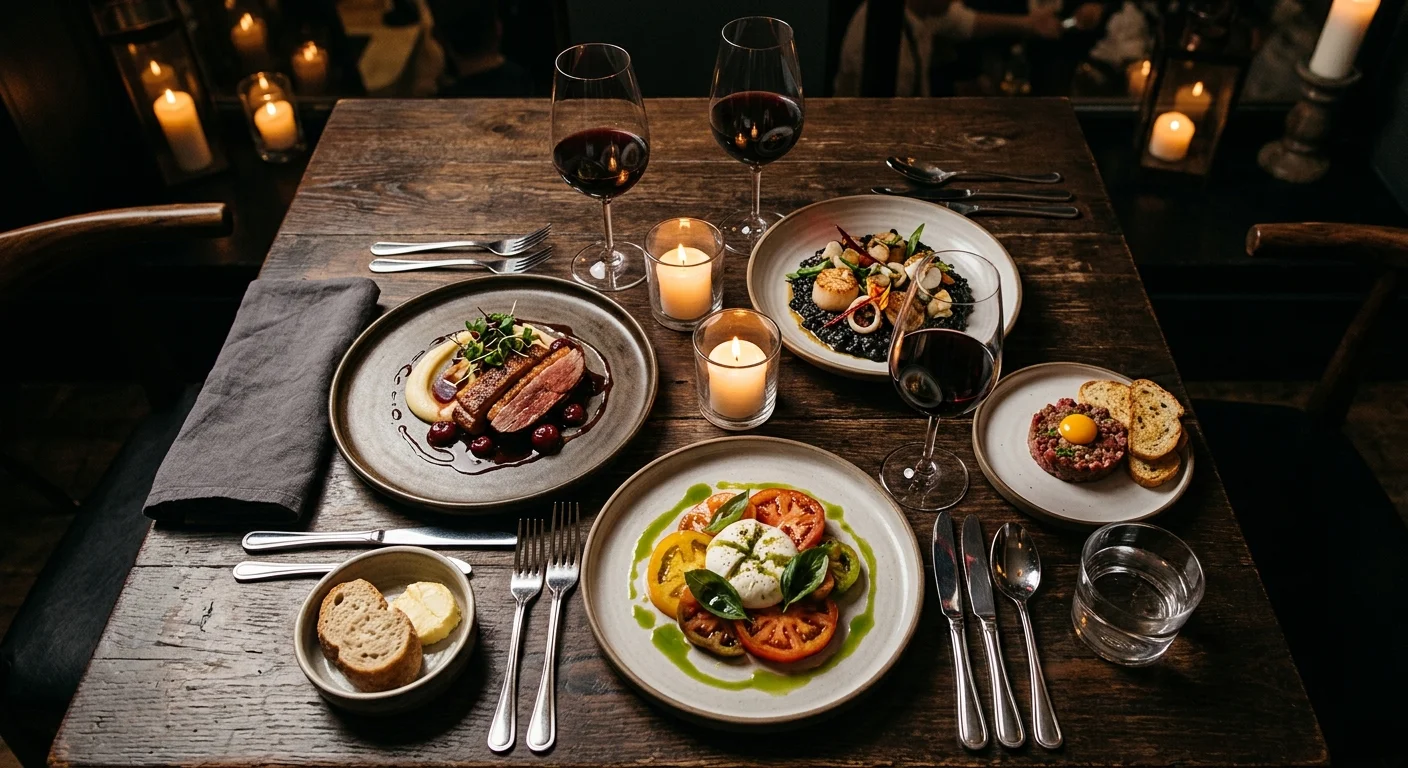
- Food photography is your most important marketing asset. Professional photos of your actual dishes outperform every other creative type.
- Google Business Profile is free and delivers the highest ROI for restaurants. Most diners check Google reviews and photos before choosing where to eat.
- Online ordering integration on your website captures revenue you are currently losing to third-party platforms and their 15–30% commission fees.
- All data in this post comes from real campaigns we managed for NZ restaurants.
Running a restaurant is hard enough without having to become a marketing expert. But in 2026, having great food is not enough. Your restaurant needs to be visible online, easy to find, and compelling enough to make someone choose you over the dozens of other options in their area.
This guide covers everything a NZ restaurant owner needs to know about digital marketing. No jargon. No fluff. Just the strategies that actually work, backed by real data from campaigns we have managed for NZ restaurants.
The Restaurant Marketing Stack
Here is the priority order for restaurant digital marketing. Do these in order. Do not skip to Facebook Ads before your Google Business Profile is sorted.
Priority 1: Google Business Profile (Free)
This is the single most important digital marketing asset for a restaurant. When someone searches “restaurants near me” or “best Thai food Auckland,” Google shows a map with three restaurant listings. That is your Google Business Profile.
What to optimise:
Photos. Upload 20–30 high-quality photos of your dishes, interior, and exterior. Google shows photos prominently in restaurant listings, and restaurants with more photos get more clicks. Update photos seasonally or when you change your menu.
Menu. Add your full menu to your GBP. Google now shows menu items directly in search results. Diners can browse your menu without visiting your website.
Hours and contact. Keep these accurate. Nothing frustrates a potential customer more than driving to a restaurant that Google says is open but is actually closed. Update for public holidays.
Reviews. This is the big one. Restaurants with more reviews and higher ratings rank higher in Google Maps and get chosen more often. Implement a review collection system:
- Train your front-of-house team to ask happy diners for reviews
- Include a QR code on receipts or table cards linking to your Google review page
- Respond to every review (positive and negative) within 24 hours
Posts. Google Business Profile lets you post updates, specials, and events. Post weekly to signal to Google that your business is active and keep your listing fresh.
Priority 2: Your Website
Your website serves three purposes: showing your menu, enabling online orders, and providing directions.
What your restaurant website needs:
- Fast mobile loading. Most people search for restaurants on their phone. If your site takes more than 3 seconds to load, they will go to the next result. Our restaurant client websites load in under 2 seconds.
- Menu page. This is your most visited page. Make it easy to read on mobile. Include photos of your best dishes. Update it when the menu changes.
- Online ordering. If you do takeaway or delivery, integrate ordering directly into your website. Third-party platforms (Uber Eats, DoorDash) charge 15–30% commission. Your own ordering system keeps that margin.
- Reservation system. If you take bookings, make it easy. Integrate with a booking platform or add a simple online form.
- Get Directions button. A prominent link to Google Maps. One tap and they are navigating to your restaurant.
- Contact details and hours. Visible on every page, not buried in the footer.
We built a local sports bar’s website with online ordering integration. A local restaurant also features an integrated ordering system. Both eliminated the commission fees from third-party delivery platforms.
Priority 3: Facebook & Instagram Ads
Once your GBP and website are solid, paid advertising amplifies your reach. Here is what works for restaurants.
Brand Awareness Campaigns ($10–$20/day)
Our restaurant brand awareness campaign achieved:
- A high volume of website visits at $0.46 per visit
- Broad local reach across the surrounding suburbs
- All on a $10/day budget within a 5km radius
How to set this up:
- Create a brand awareness campaign in Facebook Ads Manager
- Set your location to a 5km radius around your restaurant
- Target ages 18–65+, no additional interest targeting
- Use professional food photography as your creative
- Link to your menu page
- Budget: $10/day minimum
This is the most cost-effective restaurant advertising possible. For $300/month, you put your food in front of tens of thousands of local people. Over 2–3 months, this builds the brand awareness that drives walk-ins and first-time visits.
For the full strategy breakdown, read our post on how $10/day drove a high volume of restaurant visits.
Event Booking Campaigns
If your restaurant hosts events (corporate dinners, private functions, birthday parties), targeted ads can fill your events calendar. Our restaurant events campaign generated:
- 83 event booking leads at $7.24 each
- $601 total ad spend
- Targeting corporate decision-makers and event planners
Events are high-margin revenue. A private function for 30 people at $50 per head is $1,500 in revenue from a $7.24 lead. That is a 207x return if even a fraction of leads convert.
How to set this up:
- Create a lead generation campaign
- Target people interested in event planning, corporate entertainment, and dining out
- Show venue photos (not just food) highlighting your private dining or event spaces
- Use a lead form with qualifying questions (event type, guest count, preferred date)
- Budget: $20–$30/day during event booking season
Priority 4: Email Marketing
Email is underused by NZ restaurants, which is exactly why it works so well. Building an email list gives you a direct line to your customers without paying for ads.
How to build your list:
- Add an email signup to your online ordering checkout
- Offer a birthday deal in exchange for email signup (free dessert on your birthday)
- Collect emails from reservation systems
- Add a signup QR code to receipts
What to send:
- Weekly specials or new menu items (once per week, no more)
- Event announcements
- Seasonal promotions (Valentine’s Day dinner, Christmas lunch)
- Birthday and anniversary deals (automated)
Email costs almost nothing to send and typically delivers the highest ROI of any digital marketing channel for repeat-visit businesses like restaurants.
Priority 5: Social Media (Organic)
Organic social media (posting without paying for ads) has limited reach in 2026. A typical restaurant Facebook post reaches 2–5% of your followers. But it still serves a purpose:
Social proof. When someone Googles your restaurant, they often check your Instagram. An active feed with beautiful food photos builds trust. An inactive feed with your last post from 6 months ago raises questions.
Content for ads. Your organic posts become the creative for your paid ads. Post your best food photos, then boost the top performers as ads.
Community building. Respond to comments, share customer photos (with permission), and engage with local food bloggers. This builds the word-of-mouth that restaurants thrive on.
What to post:
- 3–4 times per week (not daily, quality over quantity)
- Food photography (always your best photos)
- Behind-the-scenes kitchen content (builds connection)
- Customer testimonials and reviews (social proof)
- Chef specials and limited-time dishes (urgency)
Seasonal Marketing Calendar for Restaurants
| Month | Opportunity | Strategy |
|---|---|---|
| January | New Year, healthy eating trend | Promote lighter menu options, new year dining |
| February | Valentine’s Day | Special set menu, booking campaign (start ads 3 weeks early) |
| March | Autumn menu launch | New menu promotion, food photography |
| April | Easter, school holidays | Family dining promotions, Easter brunch |
| May | Mother’s Day | Special menu, booking campaign |
| June | Matariki, winter warmers | Comfort food focus, soup and stew specials |
| July | Mid-winter, school holidays | Warming dishes, family specials |
| August | Dine Wellington/similar events | Event participation, food festival tie-ins |
| September | Father’s Day, spring menu | New seasonal menu, Father’s Day set menu |
| October | Labour Weekend | Weekend specials, brunch promotions |
| November | Pre-Christmas functions | Corporate event marketing, Christmas party bookings |
| December | Christmas, NYE | Christmas lunch/dinner, end-of-year celebrations |
Start your event booking campaigns 3–4 weeks before each major occasion. Valentine’s Day and Christmas are the two biggest booking opportunities.
Budget Guide for NZ Restaurants
| Marketing Activity | Monthly Cost | Expected Result |
|---|---|---|
| Google Business Profile | Free | Foundation of local visibility |
| Website (one-off) | $2,500–$8,000 | Menu, ordering, bookings, directions |
| Facebook Brand Awareness | $300–$600 | 30,000–100,000+ local impressions |
| Event Booking Ads | $300–$600 (seasonal) | 40–80 event leads per campaign |
| Email Marketing | $0–$50 (platform cost) | Direct customer communication |
| Food Photography (quarterly) | $300–$500 per session | Content for all channels |
| Total Monthly | $600–$1,250 | Full digital presence |
For a restaurant with a reasonable budget, $600–$1,250/month covers a complete digital marketing presence. The return from even one additional table per night far exceeds this cost.
Common Mistakes NZ Restaurants Make
Paying 30% commission to delivery platforms when you could own the channel. Uber Eats and DoorDash are convenient, but their commission eats your margin. A website with integrated online ordering costs $5,000–$8,000 as a one-off and eliminates ongoing commissions.
Posting food photos taken on a phone in bad lighting. This does more harm than good. Dark, blurry, or poorly composed food photos make your food look worse than it is. Invest in professional photography quarterly ($300–$500 per session).
Ignoring Google reviews. A restaurant with 4.2 stars and 150 reviews will get chosen over a restaurant with 4.8 stars and 8 reviews. Volume matters. Actively collect reviews.
Only posting on social media when business is slow. By the time you start posting, it is too late. Consistent posting builds the audience that you activate during slow periods.
Not tracking what works. Set up Google Analytics on your website. Track which ads drive the most menu views, online orders, and reservation requests. Spend more on what works. Cut what does not.
Frequently Asked Questions
How much should a NZ restaurant spend on digital marketing?
A minimum of $600/month covers Facebook brand awareness ads ($300), food photography amortised ($100), and basic tools. A recommended budget of $1,000–$1,500/month adds event booking campaigns and email marketing. The most important investment is a professional website with online ordering ($2,500–$8,000 one-off). Our $10/day campaign reached a large local audience, proving that even small budgets deliver meaningful results for local restaurants.
Do restaurants need a website or is social media enough?
You need both, but a website is more important. Social media platforms change algorithms, reduce organic reach, and could disappear (remember MySpace). Your website is an asset you own. It provides your menu, enables online ordering, captures reservations, and ranks on Google. Social media supports your website by building awareness and social proof.
What is the best social media platform for restaurants?
Instagram is the strongest platform for restaurants because it is visual and food-centric. Facebook is essential for local awareness and paid advertising (our brand awareness campaigns run on Facebook). TikTok works for restaurants with a younger demographic and the ability to create short-form video content. Start with Facebook and Instagram, then add TikTok if you have the content capacity.
How do I get more Google reviews for my restaurant?
Ask every satisfied diner. Train your front-of-house staff to request reviews from tables that had a positive experience. Place QR codes on receipts, table cards, or near the exit that link directly to your Google review page. Respond to every review within 24 hours. Aim for 5–10 new reviews per month. Consistency compounds over time.
All campaign data in this post comes from actual campaigns managed by Lucid Media for New Zealand restaurants. For a personalised restaurant marketing strategy, book a free consultation.
You Might Also Like
Written by
Jason Poonia
Jason Poonia is the founder and Managing Director of Lucid Media, helping NZ businesses grow online since 2018. With over 7 years delivering results for clients across New Zealand and internationally, Jason combines technical expertise with proven marketing strategies to help businesses attract more customers and build scalable systems. Background in Computer Science from the University of Auckland.
